 Catalog
3D camera angle picker for ComfyUI
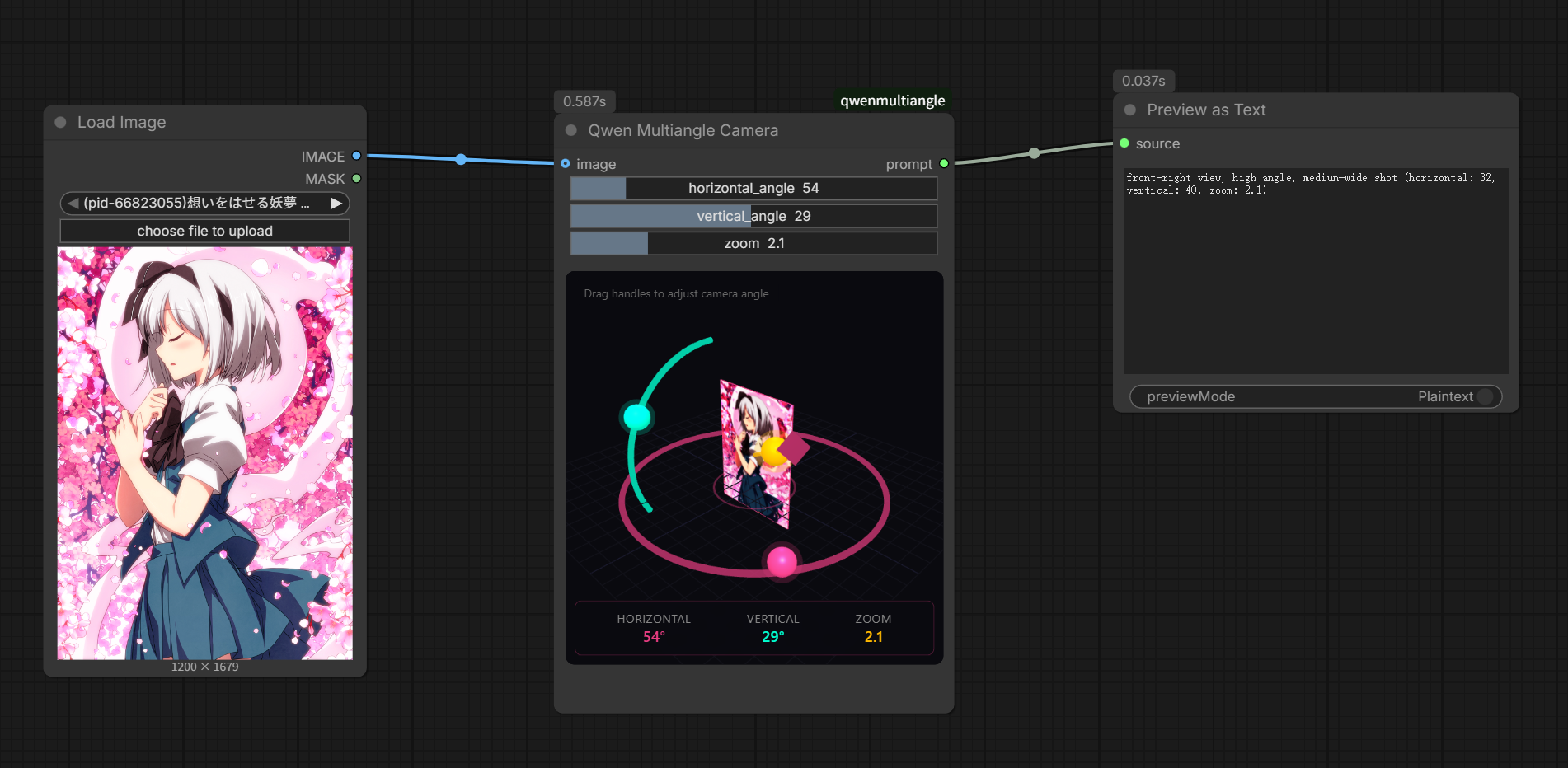
A custom node that gives you an interactive 3D viewport inside ComfyUI so you can set exact camera angles and pipe them straight into your image generation prompts.
What it is. A custom node for ComfyUI, built by jtydhr88, that embeds a Three.js 3D viewport directly in your workflow. You rotate a camera around a scene, settle on the angle you want, and the node writes the formatted prompt text for you.
What it plugs into. ComfyUI. It lives there as a custom node and connects into any workflow where you are generating images that need consistent or deliberate camera positioning, including multi-angle character sheets and product shots.
Why it helps. Describing camera angles in plain text is imprecise. “Slightly above, three-quarter view, facing left” means something different to every model. With this node you drag until the angle looks right, and the prompt string that comes out reflects what you actually set. That closes a lot of the gap between what you picture and what gets generated, especially when you are producing several views of the same subject.
How to set it up. Clone or install the repo into your ComfyUI custom nodes folder, restart ComfyUI, and the node will appear in your node menu. From there you wire it into your prompt inputs the way you would any other text node. The Three.js viewport loads inside the node itself, so there is nothing to configure externally.
Limits. The output is still a text string, so the model has to understand and honor the camera description you feed it. Results will vary depending on which image model is downstream. The node has no direct control over geometry or lighting, only angle, and the quality of the generated view ultimately depends on how well your model was trained on diverse perspectives.
More Plugins & Skills
 New
New Point an AI coding agent at a product URL and get a working Remotion project back, no video-generation model in the loop.
Remotion ad video skill: code-driven ads from a URL
MAY 19
A set of 19 Claude Code skills that wire Claude directly into Higgsfield AI, so you can generate images, kick off Seedance 2.0 video jobs, and run full UGC ad pipelines from a single automated workflow.
Claude Code skills for Higgsfield AI video and image pipelines
APR 13
A set of structured skills for tools like Cursor or Copilot that steer the AI through a real design process instead of letting it freestyle.